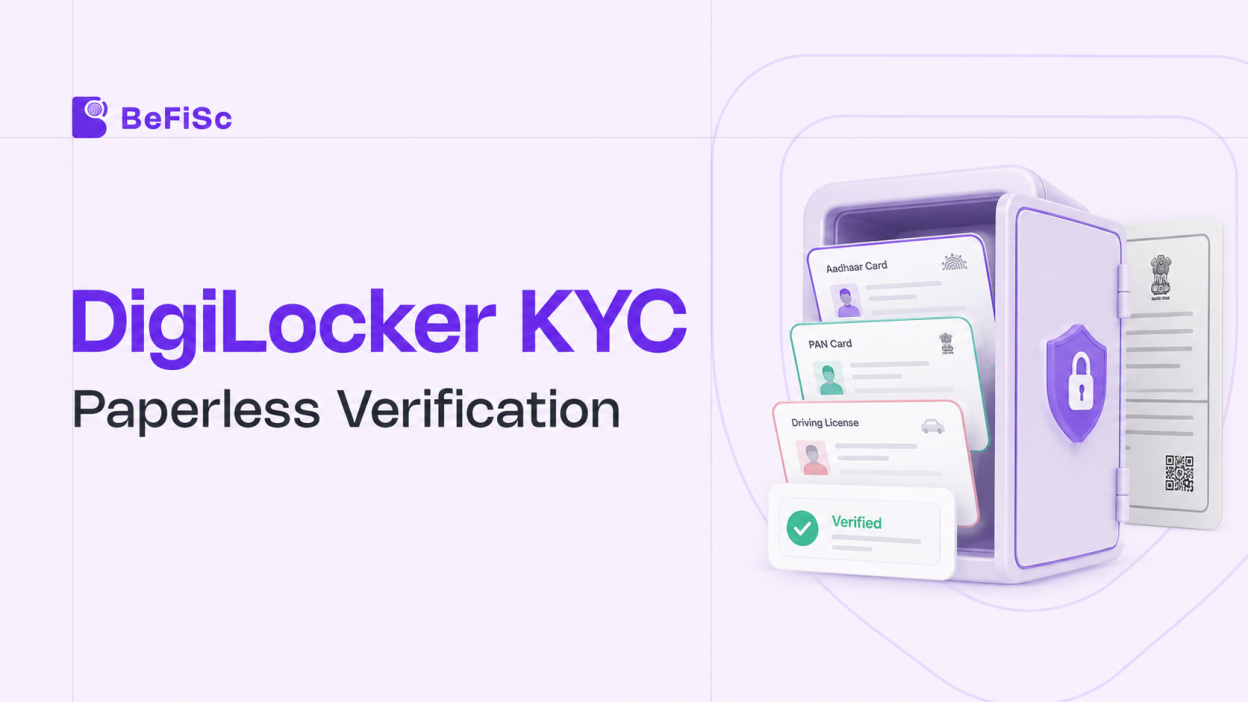
Every uploaded document photo is a small act of faith. The customer photographs a PAN card, the institution’s OCR reads it, and a fraud team hopes the image was not edited before upload. DigiLocker KYC removes that faith from the equation. Instead of accepting a photo of a document, the institution fetches the document itself, digitally signed by the government authority that issued it.
With the RBI’s KYC framework explicitly recognising DigiLocker documents, and CKYC 2.0 wiring DigiLocker into India’s central KYC infrastructure, document-fetch verification has moved from a nice-to-have to a default onboarding rail. This guide explains how DigiLocker KYC works end to end, what makes it legally valid, how to integrate it, and where it fails in production.
What Is DigiLocker KYC?
DigiLocker KYC is identity verification performed by fetching a customer’s government-issued documents directly from DigiLocker, the digital document platform run by the Ministry of Electronics and Information Technology under the Digital India programme.
DigiLocker holds two classes of documents. Issued documents come directly from the issuing authority: Aadhaar from UIDAI, PAN from the Income Tax Department, driving licence and vehicle RC from transport databases and carry the issuer’s digital signature. Uploaded documents are files the citizen adds manually and carry no such signature. DigiLocker KYC relies on issued documents only.
The platform connects to a wide range of issuers, and more than 70 document types can be fetched, including Aadhaar (as XML or a masked PDF), PAN, driving licence, and vehicle registration certificates. For onboarding, that coverage means one consent flow can retrieve most of what a KYC policy requires.
Crucially, the customer stays in control. The institution receives only the specific documents the customer authorises, for the purpose and duration consented to. That scoped-consent design is why DigiLocker KYC sits comfortably alongside the DPDP Act obligations we examined in our post on [data fiduciaries under the DPDP Act]
Why DigiLocker Documents Are Harder to Fake
The fraud logic of DigiLocker KYC is structural, not cosmetic.
A document photo can be manipulated before upload. Fonts can be redrawn, dates altered, photographs swapped. Detection then depends on forensic analysis an arms race we described in our guide to [document forgery detection in India] .
A DigiLocker-issued document never passes through the customer’s editing tools. It travels from the issuing authority’s database to the institution, digitally signed by the issuer. Tampering breaks the signature. Therefore, the verification question shifts from “does this image look genuine?” to “does this signature validate?” a cryptographic check instead of a judgment call.
This does not eliminate fraud. It relocates it. An attacker must now compromise the DigiLocker account itself, typically through SIM-swap or credential takeover, rather than forge a document. Consequently, DigiLocker KYC should pair with liveness and face match checks that bind the account holder to the person onboarding the layer covered in our [liveness detection and face match API guide]
The Legal Basis: IT Act, RBI Recognition, and OVD Status
Three legal anchors make DigiLocker KYC valid for regulated onboarding.
First, documents issued through DigiLocker are recognised as equivalent to original physical documents under the Information Technology Act, 2000 and its rules. An issued document is not a photocopy; it is the document.
Second, the RBI’s KYC Master Directions permit regulated entities to accept officially valid documents (OVDs) in digital form through DigiLocker as part of customer identification. A masked Aadhaar fetched from DigiLocker, for instance, functions as an OVD without the institution ever handling the full Aadhaar number.
Third, CKYC 2.0 formally integrates DigiLocker with the Central KYC Records Registry. Customers gain visibility and consent control over their central KYC records through DigiLocker, and institutions gain a government-anchored document channel that feeds registry-grade records.
One nuance deserves emphasis. Legal validity attaches to issued documents, not uploaded ones. A KYC policy that accepts any DigiLocker file without checking its issuance status recreates the very upload risk the platform was meant to remove. Your integration must verify the document class and validate the issuer signature.
How the DigiLocker KYC Flow Works Step by Step
A production DigiLocker KYC journey has six stages.
Step 1: Consent Initiation
The onboarding flow redirects the customer to DigiLocker’s authorisation screen, stating which documents will be accessed and why. Scope should be minimal: request only what the KYC policy needs.
Step 2: Customer Authentication
The customer signs in to DigiLocker, typically with their mobile number or Aadhaar-linked credentials and an OTP. New users can create a DigiLocker account within the same flow, since any Aadhaar holder is eligible.
Step 3: Document Selection and Fetch
The customer approves the requested documents. DigiLocker returns the issued artefacts, for example, a masked Aadhaar PDF or XML and the PAN record, each carrying the issuer’s digital signature.
Step 4: Signature and Data Validation
The institution’s backend validates the digital signature, confirms the document is an issued (not uploaded) artefact, and extracts structured data: name, date of birth, address, document numbers.
Step 5: Cross-Checks and Risk Decisioning
Extracted data feeds the KYC decision engine: name match against the application, face match between the Aadhaar photograph and a live selfie, and screening checks such as [PEP and sanctions screening] where the risk policy requires them.
Step 6: Record Creation and CKYC Upload
The verified record enters the institution’s KYC store and, within the mandated window, the CKYC registry. In video KYC journeys, the RBI’s V-CIP framework already uses DigiLocker-fetched Aadhaar as the anchor document, so this step closes the loop between document fetch and regulatory record.
End to end, the customer experience is a two-minute consent journey rather than a document photography session, one reason DigiLocker-led flows convert better on low-end devices where camera-based capture fails most often.
DigiLocker KYC vs Aadhaar eKYC vs Document Upload
The three dominant digital verification routes solve different problems, and mature stacks use all of them.
Aadhaar eKYC returns demographic data from UIDAI after OTP or biometric authentication. It is fast and authoritative, but it returns data, not documents, and it covers only Aadhaar. Our earlier explainer on the [Aadhaar eKYC process] details that flow.
Document upload with OCR accepts any document the customer can photograph. Coverage is unlimited, but authenticity assurance is lowest, and every image demands forgery screening.
DigiLocker KYC sits between and above them. It returns authenticated document artefacts not just data across 70+ document types, with issuer signatures replacing forensic guesswork. Its dependency is adoption: the customer needs a DigiLocker account, or must create one mid-flow.
The practical playbook is a waterfall. Offer DigiLocker KYC first for its authenticity and conversion advantages. Fall back to Aadhaar eKYC where the use case only needs demographic verification. Keep OCR-based upload as the final fallback, wrapped in forgery detection. Routing logic of this kind, rather than any single method, is what determines both fraud outcomes and completion rates.
Integrating DigiLocker KYC into Your Onboarding Stack
Institutions can integrate directly with Digi-Locker’s partner APIs or through a verification infrastructure provider that bundles Digi-Locker with eKYC, face match, and CKYC connectivity. Four engineering decisions shape the outcome.
Consent UX placement. Introduce the Digi-Locker step early, with a one-line explanation of why it is safer and faster than uploads. Journeys that spring an unfamiliar government login on users at the final step see measurably higher abandonment.
Fallback orchestration. Build the waterfall described above as configuration, not code. Fetch failures, missing documents, and account-creation drop-offs should route automatically to the next method without restarting the journey.
Artefact handling. Store the signed artefact, the signature validation result, and the consent trail together. During an audit, the question is rarely “did you verify?” but “can you prove what you verified and under what consent?”
Data minimisation. Fetch masked Aadhaar rather than full Aadhaar wherever policy allows, and purge artefacts you have no retention basis for. DigiLocker reduces your data liability only if your storage practices let it.
Production Failure Modes and Conversion Killers
Four issues dominate real-world DigiLocker KYC operations.
Account creation drop-off. First-time Digi-Locker users must register mid-journey. Mitigate this with clear progress cues and an assisted path; measure this segment separately in your funnel analytics.
Document-not-linked failures. The customer has a DigiLocker account, but the requested document was never fetched into it. Good integrations trigger the issuer fetch inside the flow instead of failing the journey.
Name mismatches across documents. Aadhaar, PAN, and application names frequently differ in spelling or ordering. Hard-match logic destroys conversion; use fuzzy name-matching with reviewable thresholds.
Treat uploaded files as issued documents. The costliest mistake. Always check the document class and validate signatures; otherwise, your Digi-Locker KYC upload will require extra steps.
Key Takeaways
- DigiLocker KYC verifies customers by fetching issuer-signed documents with scoped consent, replacing image forensics with cryptographic signature validation.
- Issued documents hold the same legal validity as physical originals under the IT Act, 2000, and the RBI KYC framework accepts them as OVDs.
- CKYC 2.0 integrates DigiLocker with the central KYC registry, making it a structural part of India’s onboarding infrastructure rather than an optional channel.
- The strongest stacks run a waterfall: DigiLocker first, Aadhaar eKYC second, OCR upload with forgery detection last.
- Validate document class and issuer signatures on every fetch; an uploaded file treated as an issued document reintroduces the fraud risk DigiLocker exists to remove.
Frequently Asked Questions
Does DigiLocker KYC eliminate the need for liveness and face match checks?
No. DigiLocker KYC proves the documents are genuine, not that the person onboarding controls the account legitimately. Pair it with liveness detection and face match to bind the verified documents to a live, present individual and block account-takeover fraud.
What happens in DigiLocker KYC if the customer has no DigiLocker account?
The customer can create an account inside the DigiLocker KYC journey using their Aadhaar-linked mobile number. Well-designed flows handle this mid-journey and, if the customer abandons, fall back automatically to Aadhaar eKYC or OCR-based document upload.
Which documents can be fetched in a DigiLocker KYC flow?
A DigiLocker KYC integration can fetch 70+ issued document types, including Aadhaar as XML or a masked PDF, PAN, driving licence, and vehicle RC. Availability depends on which issuers are integrated and which documents the customer has linked or fetches in-flow.
Is DigiLocker KYC legally valid for banks and NBFCs?
DigiLocker KYC fetches government-issued, digitally signed documents directly from the issuing authority with the customer’s consent. Unlike uploads, the document never passes through the customer’s device for editing, so authenticity rests on signature validation rather than image forensics.
What is DigiLocker KYC and how is it different from uploading documents?
DigiLocker KYC fetches government-issued, digitally signed documents directly from the issuing authority with the customer’s consent. Unlike uploads, the document never passes through the customer’s device for editing, so authenticity rests on signature validation rather than image forensics.
Conclusion
DigiLocker KYC marks a quiet architectural shift: verification moves from inspecting what customers submit to fetching what governments issue. Institutions that internalise this shift stop investing ever more in image forensics for their primary flow and start investing in consent UX, fallback orchestration, and signature-anchored audit trails.
The direction of travel is clear. With CKYC 2.0 binding DigiLocker to the central registry and the Account Aggregator framework doing the same for financial data, India’s onboarding stack is consolidating around consented, source-of-truth data pulls. Building DigiLocker KYC well today is less a feature decision than an early position in that consolidated stack.